
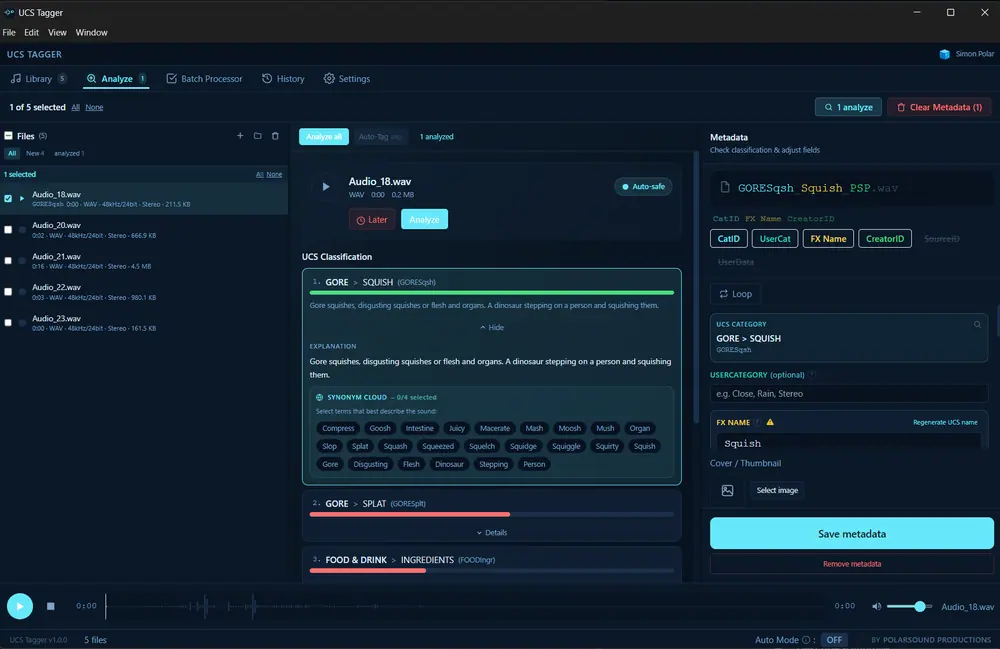
It listens, then suggests
An audio model bundled with the app compares the sound itself against the UCS category tree and ranks the matches by confidence. You confirm or override. The file is never renamed behind your back.
Own product · in active development
UCS Tagger takes a folder of raw recordings and gives it back tagged to the Universal Category System: category, filename, keywords, description and embedded metadata. It listens to the audio to do it, and it does all of it on your machine.
Why it exists
Every sound designer reaches the point where the recordings outgrow the memory of them. A folder called new_final_2 is fine at fifty files and useless at five thousand. The Universal Category System solves the naming problem, but applying it by hand is the kind of work nobody has an afternoon for.
So this got built for the studio's own library first, then hardened until other sound designers could use it. That is still how it develops: the features that ship are the ones a working session asked for.
Screenshots from the current build. No mockups.
An audio model bundled with the app compares the sound itself against the UCS category tree and ranks the matches by confidence. You confirm or override. The file is never renamed behind your back.
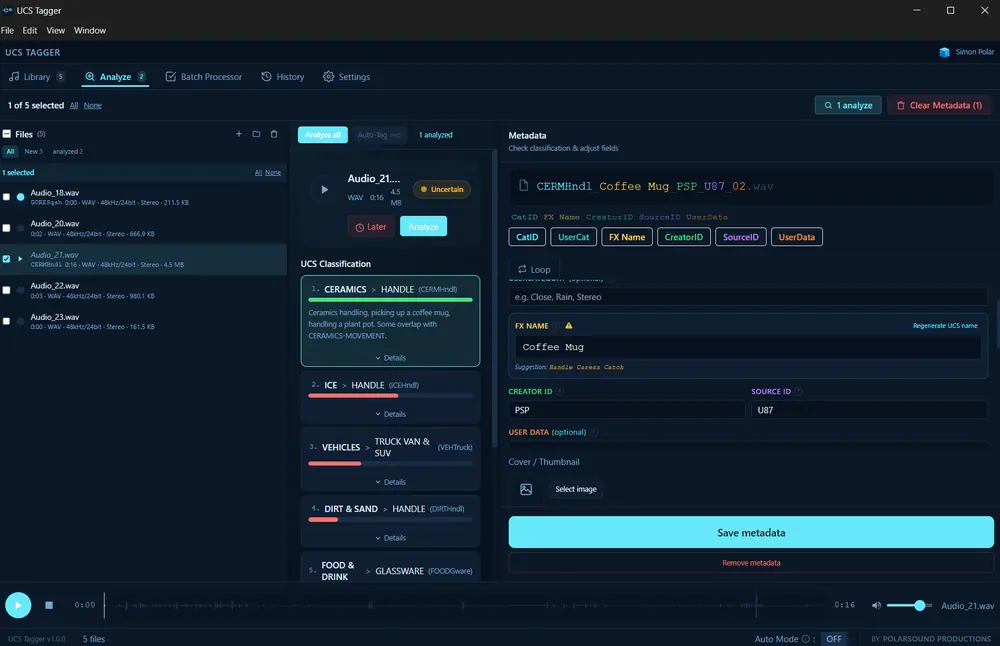
Names are assembled to the UCS pattern CatID_Description-Detail_CreatorID, with every segment colour-coded and editable. Nothing is locked in.
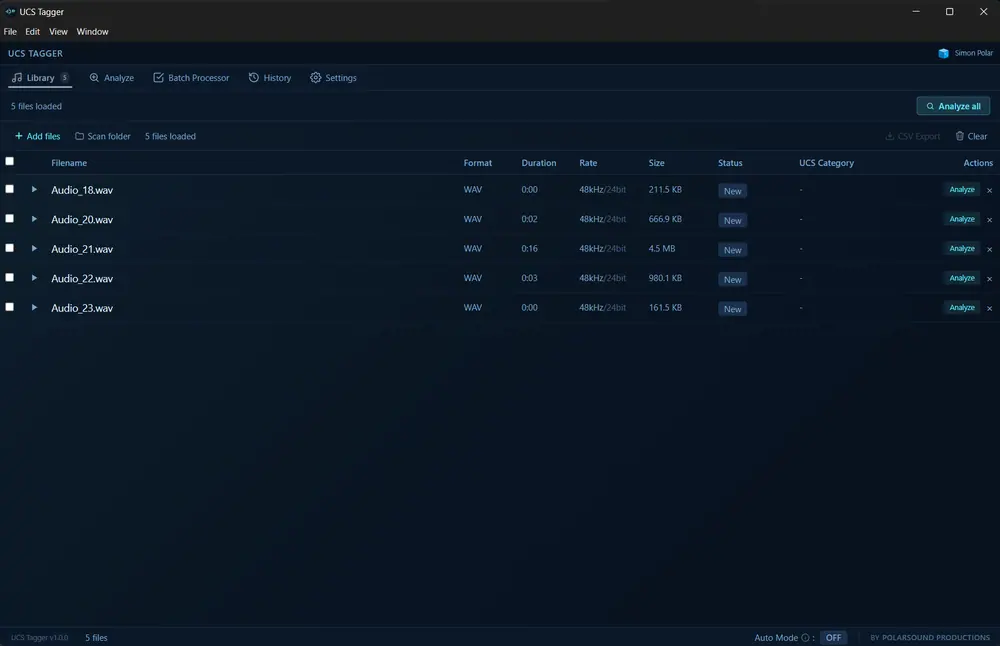
Imported files keep their state: what is tagged, what is pending, what was changed. Metadata can be copied from one file and pasted onto the next.
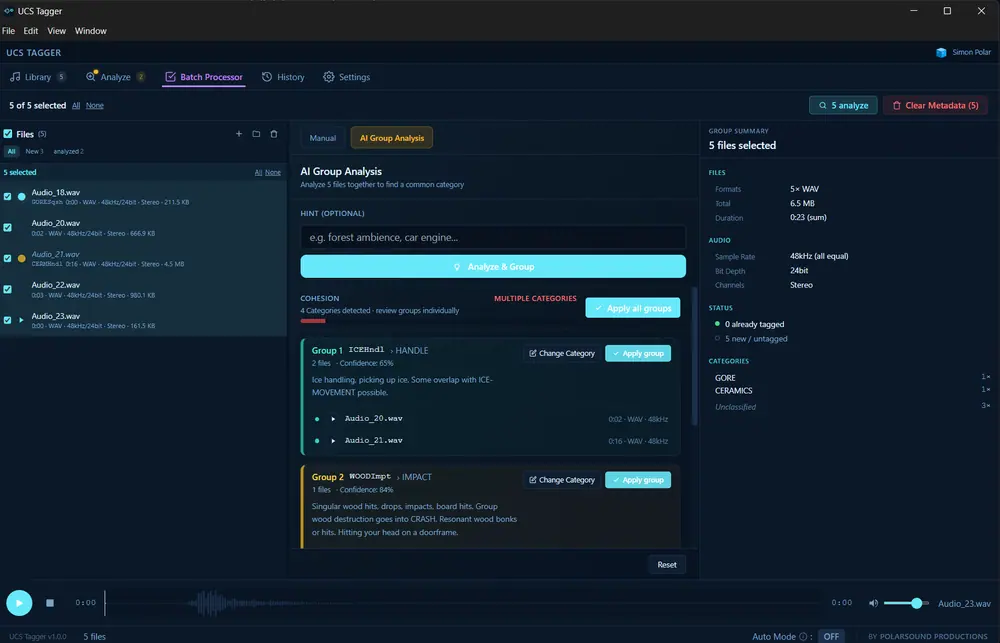
Batch groups take a whole session at once, and the history keeps every rename reversible. Export the result as CSV when a client wants the sheet.
What it costs you to try
Where it is going
Today UCS Tagger is a Windows application. If you work on macOS and want to be told when the port lands, say so and you go on the list.
Same studio, same inbox. Questions about the app, a feature you are missing, or a game that needs sound. All of it reaches Simon Wagner directly.